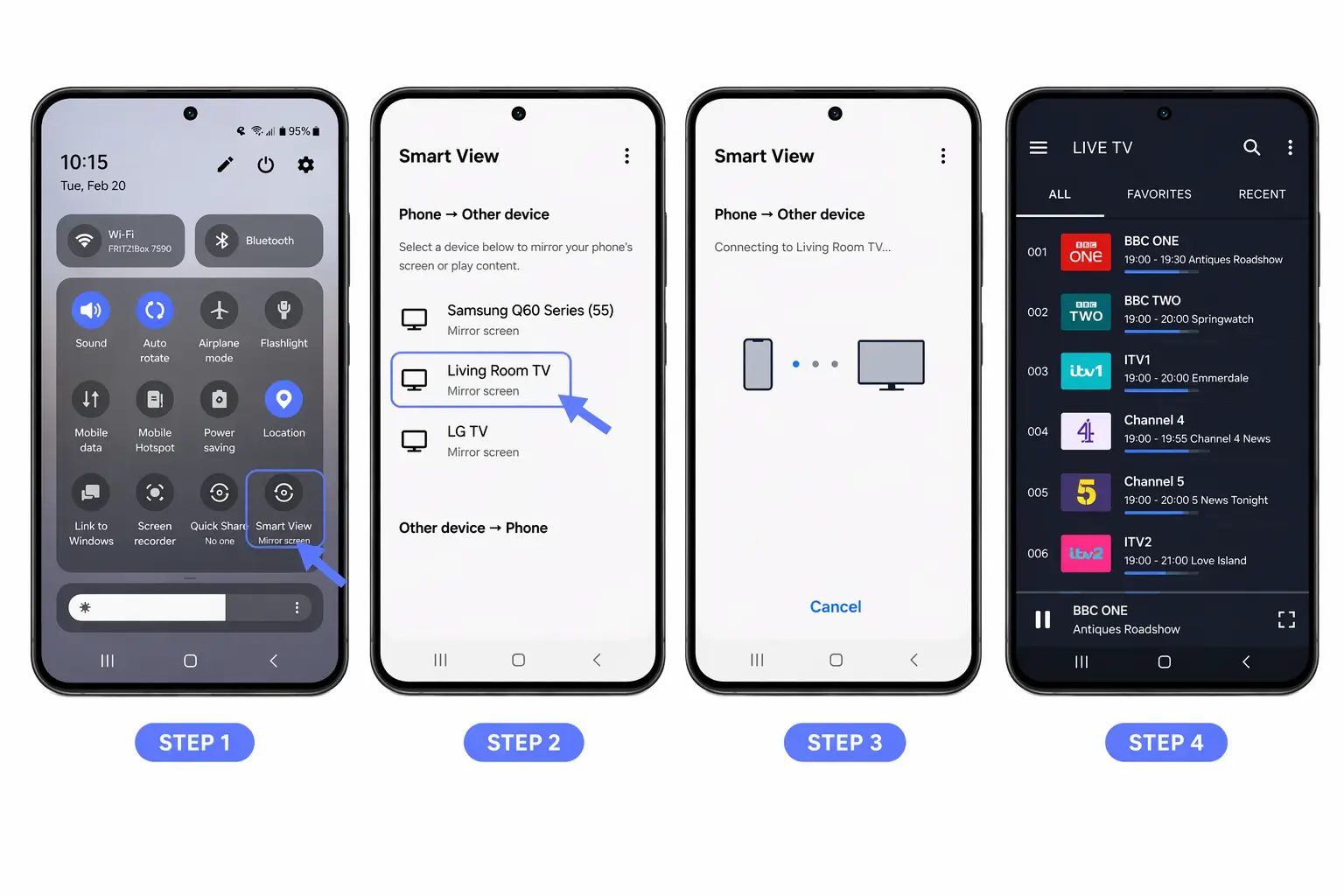

Yes, IPTV can be used on multiple devices. You can install your IPTV app on as many devices as you like, a smart TV, a phone, a tablet, a computer, a streaming box, all with the same login. The real limit is not how many devices you set up, but how many can stream at the same time, which is set by the number of simultaneous connections your plan allows.
Understanding that difference is the key to using a reliable IPTV subscription across a whole household without errors. This article explains how many devices you can use, what the connection limit means, what happens when you exceed it, and answers the questions people ask most.
Installing on many devices vs. streaming at the same time
This is the distinction that clears up most confusion. Adding your IPTV source to several devices is unlimited, you can enter the same M3U link or Xtream Codes login on your TV, your phone, and your laptop without any problem. What is limited is simultaneous streaming: watching on more than one device at the exact same moment.
Each active stream uses one “connection,” and your plan allows a set number of them. So you can have IPTV ready on ten devices, but if your plan permits two connections, only two can play at once.
How many devices can you use IPTV on?
There is no cap on the number of devices you can set up. You install the same player, or a compatible one, on each device and log in with the same credentials. Your phone, tablet, several TVs, a computer, and a streaming stick can all hold your IPTV at the same time.
Families often do exactly this, putting the app on every screen in the home so anyone can watch from anywhere. The only thing to plan around is how many of those screens need to play simultaneously.
What is a “simultaneous connection” limit?
A simultaneous connection is a single active stream. IPTV services sell plans based on how many streams can run at once, commonly one, two, three, or more. A single-connection plan means one device can watch at any given time; a two-connection plan lets two devices play different channels simultaneously, and so on.
This limit exists because each stream consumes server bandwidth, so the number of connections is essentially what you are paying for alongside the content. When you set up a plan, it is worth checking this figure, since it decides how many people in the home can watch at the same time.
| Simultaneous connections | What it allows | Ideal for |
| 1 | One device streaming at any moment | A single viewer |
| 2 | Two devices on different channels at once | Couples or small homes |
| 3 | Three screens playing simultaneously | Larger families |
| 4+ | Four or more streams at the same time | Big or shared households |
Can two people watch different channels at once?
Yes, as long as your plan allows at least two simultaneous connections. With a multi-connection plan, one person can watch sports in the living room while another watches a film on a tablet, each on a different channel, at the same time. This is the main reason households choose plans with more than one connection.
With a single-connection plan, only one channel can play across the whole home at any moment, and starting a second stream will interrupt the first.
What happens if you exceed the connection limit?
When you try to stream on more devices than your plan allows, the service simply refuses the extra stream. Depending on the setup, you might see an error message, a channel that will not load, or one of the existing streams being dropped so the new one can start.
It is not a permanent problem, nothing breaks, it just means you have hit your limit. The fix is either to stop one of the active streams or to upgrade to a plan with more simultaneous connections.
Can I use IPTV on different networks or locations?
Generally yes. The same login usually works across different Wi-Fi networks and even different locations, so you can watch at home, at work, or while traveling.
Some services do monitor for unusual patterns, many devices streaming from very distant places at once can look like account sharing, but ordinary use across your own devices and networks is normal. If you travel often, this portability is one of IPTV’s genuine conveniences, since your setup is tied to your login rather than to a single box in one house.
How do you get more simultaneous connections?
If your household regularly needs more screens playing at once, the answer is a plan with more connections. Most services offer tiers based on the number of simultaneous streams, so moving from a one- or two-connection plan to a larger one lets more people watch different content at the same time. This is a normal upgrade, not a workaround.
Before choosing, count how many screens realistically need to run simultaneously in your home, it is common to overestimate, since not everyone watches at once.
Does using one login on several devices cause problems?
Installing your login on multiple devices is expected and fine, that is how IPTV is designed to work. What can cause issues is exceeding your connection limit repeatedly, or sharing your login with people outside your household across many distant locations, which some services treat as account abuse and may restrict.
For your own devices, at home and on the go, using a single login everywhere is completely normal. Keep your credentials private, though: sharing them widely not only risks your connections being used up but can also flag your account.
How to set up the same source across devices
The process is the same on every device, and you use one set of credentials everywhere — no separate account per device. Follow these steps on each screen you want to add.
- Install a compatible IPTV player on the device (a dedicated player on TVs and boxes, the mobile app on phones and tablets).
- Open the app and choose “Add playlist” or “Login.”
- Enter your source: paste the same M3U link, or the same Xtream Codes details (server URL with its port, username, and password).
- Add the EPG (XMLTV) URL if your source provides one, then confirm.
- Wait for the channels, guide, and content to load, then repeat on the next device.
Each device then works independently, and the connection limit quietly governs how many can play at the same time.
FAQ
Can I install IPTV on more than one device?
Yes, on as many as you like, all with the same login. There is no limit on the number of devices you set up.
How many devices can watch at the same time?
That depends on your plan’s simultaneous connection limit, commonly one, two, or three. Only that many streams can run at once.
Can two people watch different channels simultaneously?
Yes, if your plan allows at least two connections. Otherwise, only one channel can play across the home at a time.
What happens if I go over my connection limit?
The extra stream is refused, you may see an error or have an existing stream dropped. Nothing breaks; you have simply reached your limit.
Can I use IPTV in different locations?
Usually yes, across different networks and places. Very unusual patterns can look like account sharing, but ordinary personal use is fine.
Do I need a separate subscription for each device?
No. One set of credentials covers all your devices; the connection limit controls how many stream at once, not how many you install on.
How do I get more simultaneous streams?
Upgrade to a plan with more connections. It is a normal option offered by most services, not a workaround.
Conclusion
So, can IPTV be used on multiple devices? Absolutely, and that flexibility is one of its biggest advantages over a single cable box. You can install your IPTV on every screen in the home and switch between them freely, all from one login.
The only thing to plan around is simultaneous streaming: the number of devices that can play at the same time is set by your plan’s connection limit, so if several people watch at once, choose a plan with enough connections.
Set up the same M3U link or Xtream Codes login on each device, keep your credentials private, and match your plan to how many screens really run together. Done that way, IPTV comfortably serves a whole household across TVs, phones, tablets, and computers alike.