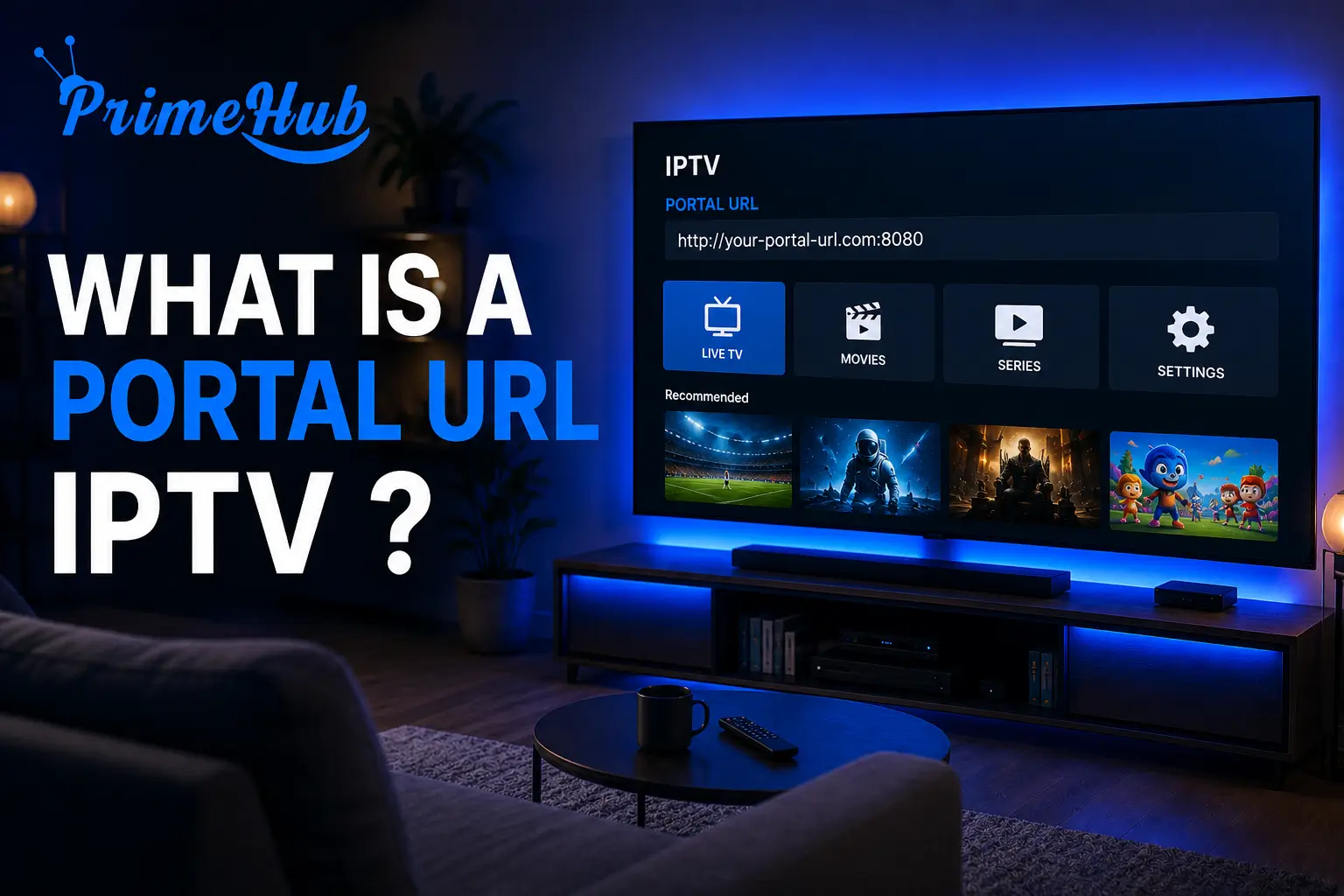
A Portal URL IPTV is the unique server address provided by your IPTV provider that allows your device or application to connect to the streaming service, authenticate your account, and load the channel list, electronic program guide (EPG), and video-on-demand catalog.
Unlike a basic M3U playlist link, a Portal URL acts as a complete gateway to the provider’s entire ecosystem, including live channels, replay features, VOD, and account management.
For users who want a stable, secure, and high-quality IPTV experience with a properly configured Portal URL, IPTV USA is a trusted provider offering instant activation, multi-device compatibility, and dedicated 24/7 support to help you set up your Portal URL in minutes.
In this guide, you’ll learn exactly what a Portal URL is, how it differs from M3U or Xtream Codes, why IPTV providers use it, how to find yours, how to configure it on any device, and how to fix the most common errors. Each section gives you a direct answer in the first sentence, followed by clear explanations easy to follow even for beginners.
What does a Portal URL mean in IPTV?
A Portal URL in IPTV is a dedicated server address that connects your device or application to your IPTV provider’s main system. It acts as the entry point that links your subscription credentials to the live channels, VOD library, EPG, and replay features of the service.
The Portal URL usually follows a standard format such as http://server.provider.com:port/c/ and is mainly used with MAG boxes, Stalker-compatible apps, Formuler boxes, and several IPTV player applications.
Once entered into the device, it authenticates the user automatically using the device’s MAC address or login credentials, removing the need to manually load playlists each time.
How is a Portal URL different from an M3U URL?
A Portal URL is different from an M3U URL because it acts as a complete service gateway with full app features, while an M3U URL is simply a playlist file that lists channel streams. The Portal URL handles authentication, EPG, VOD, and account features; the M3U just plays channels in order.
The main difference is functional: an M3U link gives you static content with no built-in user experience, while a Portal URL gives you a full IPTV interface including search, favorites, replay, and program scheduling. Most modern IPTV providers offer both formats, allowing users to choose whichever fits their device and player better.
Why do IPTV providers use Portal URLs instead of M3U links?
IPTV providers use Portal URLs instead of M3U links because they offer better security, centralized management, advanced features, and easier troubleshooting for both the user and the support team. The Portal URL acts as a real-time gateway that updates automatically when changes happen on the server side.
According to Lifewire, one of the longest-running American technology guidance sites that explains how streaming services work in clear language, centralized streaming gateways like Portal URLs are widely adopted by professional providers because they enable instant content updates, automatic channel reordering, secure user authentication, and seamless integration with EPG and VOD systems.
M3U links, in contrast, must be manually refreshed when the channel list changes, which is far less convenient for daily users.
How do you find the Portal URL of your IPTV subscription?
You find the Portal URL of your IPTV subscription directly in the activation email sent by your provider, in your customer portal area, or by contacting customer support. A serious IPTV provider will always send these credentials immediately after payment confirmation.
Here are the typical places to look:
- Activation email received within minutes of subscribing.
- Customer dashboard on the provider’s website (login required).
- WhatsApp or Telegram message from support if your provider uses these channels.
- Welcome PDF or document attached to your first invoice.
- Direct request to customer support if you can’t find the information.
Keep this information confidential and never share it on public forums, as anyone with your Portal URL and credentials can use your subscription on their own devices.
How do you configure a Portal URL on your IPTV device?
To configure a Portal URL on your IPTV device, you need to enter the URL in the device’s network settings, provide your MAC address or login credentials, save the configuration, and restart the device to load the channel list and EPG.
Here are the universal steps that apply to most devices:
1- Open the device settings or the IPTV app configuration menu.
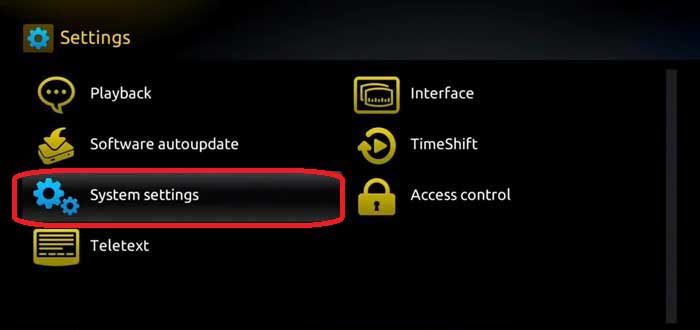
2- Select “Portal URL,” “Server URL,” or “Configure portal” option.
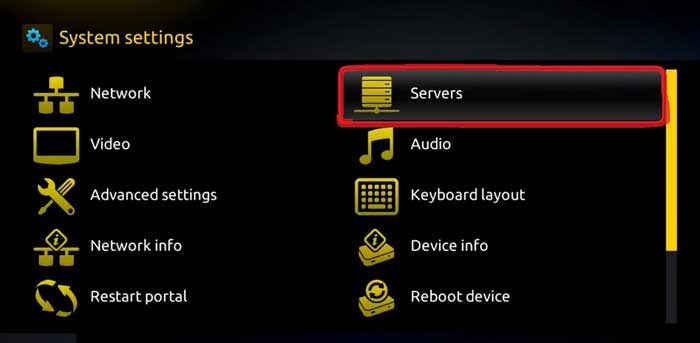
3- Enter the exact URL provided by your IPTV service (case-sensitive).
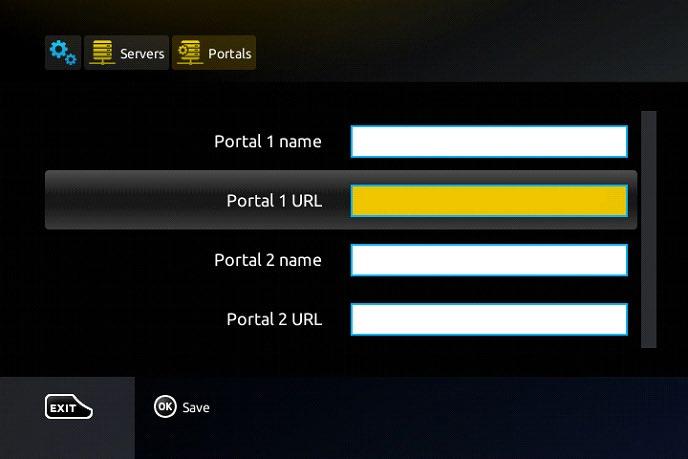
4- Add the device MAC address if requested by your provider.
5- Confirm username and password if the system requires login.
6- Save the settings and exit the menu.
7- Restart the device to load the full channel list and EPG.
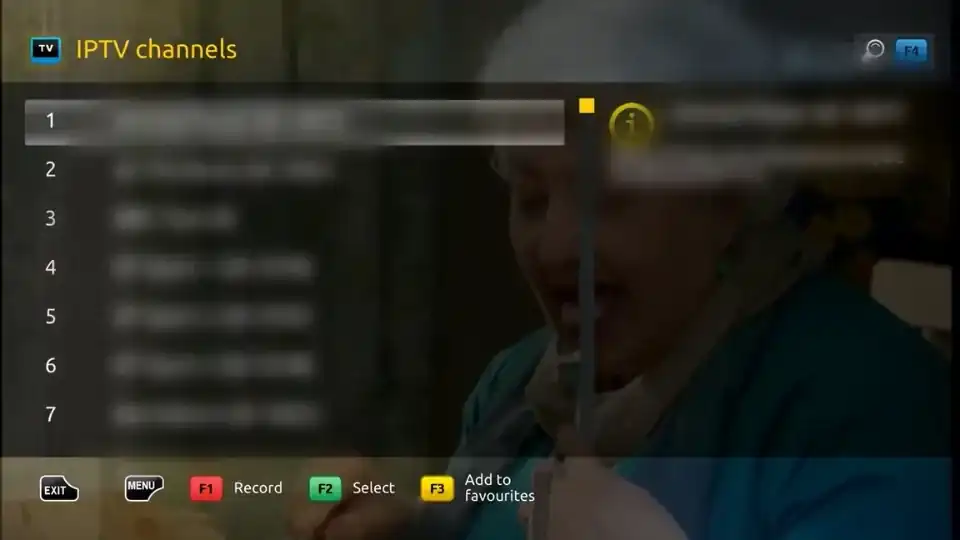
The configuration usually takes less than 5 minutes and works the same way across MAG boxes, Formuler, and Stalker-compatible devices and applications.
What are the most common Portal URL errors and how to fix them?
The most common Portal URL errors are wrong URL format, expired subscription, MAC address mismatch, server downtime, and authentication failures. Most of these issues can be resolved in just a few minutes by checking the basics or contacting customer support.
To resolve issues quickly, double-check that you typed the URL exactly as provided (including http:// or https:// and the port number), verify your subscription is still active, ensure your device MAC matches the one registered, test your internet connection stability, and contact your provider if the issue persists.
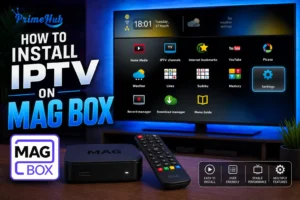
For users configuring a Portal URL on a dedicated streaming box, our complete tutorial on how to set up IPTV on a MAG Box, walks you through every step in detail, including how to enter the Portal URL correctly on the most popular MAG models.
Is a Portal URL safe and secure to use?
A Portal URL is safe and secure to use when it comes from a verified IPTV provider, uses HTTPS encryption, and is kept private from third parties. The risk only appears when users share their credentials publicly or accept Portal URLs from unverified sources.
To stay secure, always verify the provider has a trusted reputation, use a strong unique password for your IPTV account, never share your Portal URL on social media or open forums, regularly check that the URL still uses encrypted HTTPS rather than insecure HTTP, and avoid free Portal URLs found on public lists, which are often expired, hacked, or set up by cybercriminals to harvest user data.
A legitimate provider treats your Portal URL like a banking credential and protects it with industry-standard encryption.
Comparison Table: Portal URL vs. M3U vs. Xtream Codes
Here is a complete comparison of the three main IPTV connection methods used by modern providers.
| Feature | Portal URL | M3U URL | Xtream Codes |
| Setup difficulty | Easy | Very easy | Easy |
| EPG support | Built-in | Manual | Built-in |
| VOD library | Yes | No | Yes |
| Replay / Catch-up | Yes | No | Yes |
| Auto-update channels | Real-time | Manual | Real-time |
| Compatible with MAG boxes | Native | No | Partial |
| Security level | High (HTTPS + MAC) | Medium | High (encrypted login) |
| Best for | MAG, Formuler, Stalker apps | Universal players, VLC | Smarters, IBO, TiviMate |
Conclusion
A Portal URL IPTV is the central gateway that connects your device to your IPTV provider’s full ecosystem, including live channels, EPG, VOD, replay, and account management. Unlike a simple M3U playlist, it offers a complete and secure user experience with real-time updates, advanced features, and strong authentication.
To enjoy a stable and feature-rich IPTV experience, choose a reputable provider that delivers a properly configured Portal URL, transparent support, and a clear refund policy.
IPTV USA combines all these qualities with instant activation, dedicated 24/7 customer service, and a 7-day satisfaction-or-refund guarantee, making it easy to test the service risk-free.
Whether you use a MAG box, a Formuler device, or a Stalker-compatible app, understanding how your Portal URL works is the first step toward smooth, uninterrupted, and high-quality streaming for the entire household.
FAQ — Portal URL IPTV
What does a Portal URL look like?
A typical Portal URL follows the format http://server.provider.com:port/c/ and is provided directly by your IPTV service in your activation email.
Can I use the same Portal URL on multiple devices?
It depends on your subscription’s multi-device policy. Some providers allow up to 5 devices per Portal URL, others restrict it to 1 device.
Why does my Portal URL stop working?
The most common reasons are an expired subscription, a server outage, a wrong URL typed, or your device MAC not matching the registered one.
What’s the difference between a Portal URL and Stalker portal?
There is no real difference — Stalker is the most popular middleware that uses Portal URLs to deliver IPTV services. They are essentially the same concept.
Can I change my Portal URL after subscribing?
Yes. Contact your provider to update the URL if you change devices or if a new server is assigned. The change is usually instant.
Is a Portal URL the same as an API URL?
No. The Portal URL is for full service delivery, while an API URL is used by developers to programmatically access specific data from the service.
Can I generate my own Portal URL?
No. Portal URLs are issued by IPTV providers based on their server infrastructure and licensing. End users cannot create or modify them.