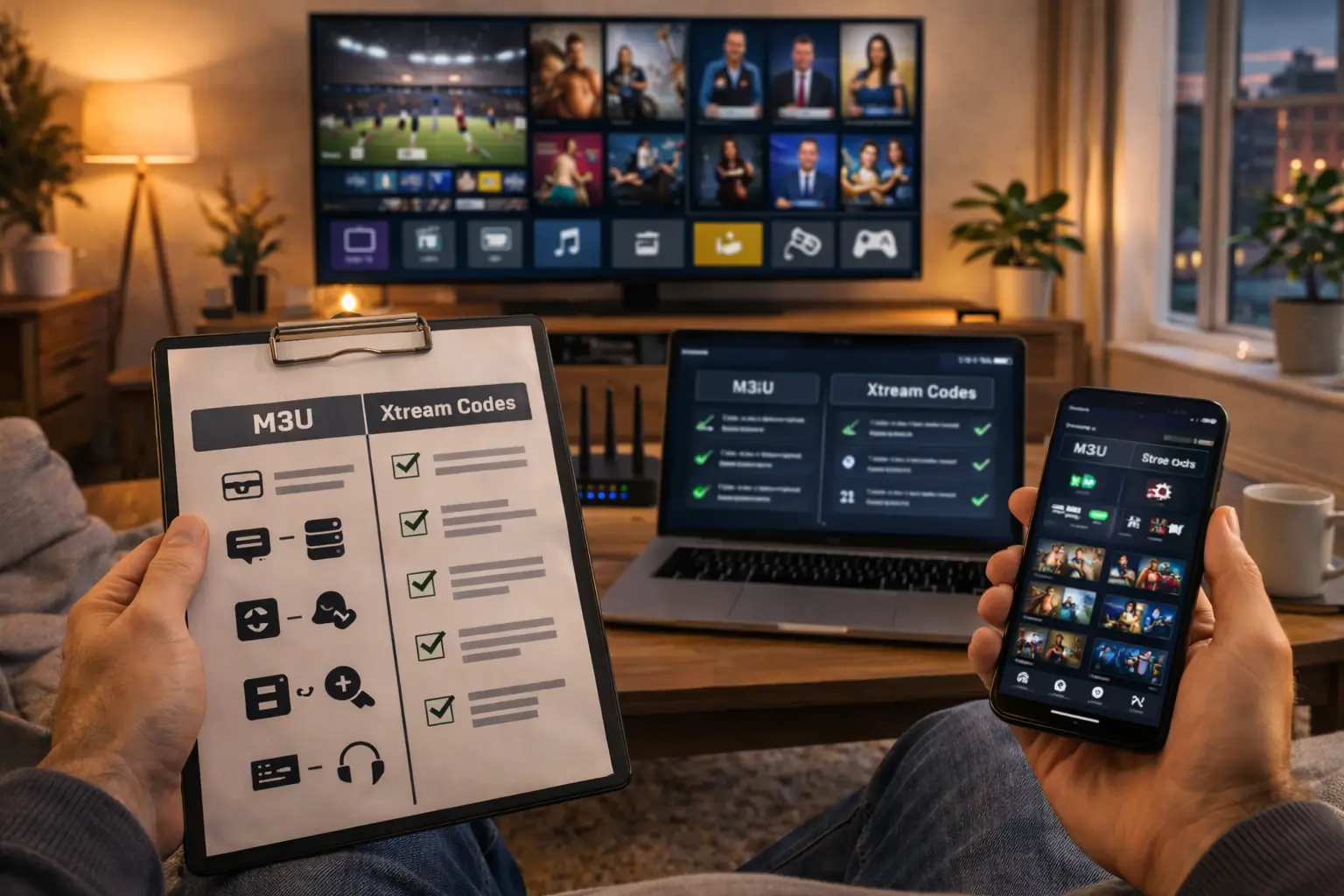
The difference between M3U and Xtream Codes is how they connect your IPTV app to your provider’s server, M3U uses a single URL link that contains your entire channel playlist, while Xtream Codes uses a server address, username, and password combination that gives you a more organized and feature-rich experience.
Both methods deliver the same live TV channels, movies, and on-demand content to your screen, but they work differently behind the scenes and each has its own advantages depending on your device and viewing habits.
A trusted provider like IPTV USA supports both M3U and Xtream Codes on all devices, giving you the freedom to choose whichever connection method works best for your setup.
What Is an M3U Link and How Does It Work?
An M3U link is a single URL that points to a text file containing a complete list of all your IPTV channels, organized with stream addresses and channel names. When you paste this URL into your IPTV app, the app reads the file, downloads the channel list, and displays everything in your player ready to watch.
The M3U format has been around for years and is supported by virtually every IPTV app and media player on the market, including VLC, GSE Smart IPTV, and Perfect Player. It is the simplest way to load your IPTV subscription because it only requires one piece of information, the URL itself.
However, M3U links can be very long and complex, and if a single character is wrong the entire playlist will fail to load. The channel list inside an M3U file is static, meaning any updates from your provider require the app to reload the full playlist.
What Are Xtream Codes and How Do They Work?
Xtream Codes is a login-based connection method that uses three separate pieces of information ( a server URL, a username, and a password ) to connect your IPTV app directly to your provider’s server. Instead of downloading a static playlist file, Xtream Codes establishes a live connection with the server that dynamically loads channels, VOD content, and EPG data in real time. This means any changes your provider makes, like adding new channels or updating the program guide, appear automatically on your device without you having to refresh or re-enter anything.
Most modern IPTV apps like IPTV Smarters, TiviMate, and IBO Player have a dedicated Xtream Codes login screen that makes setup extremely fast and clean. The login process feels more professional and organized compared to pasting a long M3U URL, and it also provides better security since your credentials are separated into three distinct fields.
What Are the Key Differences Between the Two?
The main differences between M3U and Xtream Codes come down to setup simplicity, content organization, automatic updates, and app compatibility.
Both deliver the same channels and content from the same provider, but the way they handle that delivery creates a noticeably different user experience. M3U is universal and works everywhere, but it is less dynamic.
Xtream Codes is more modern and feature-rich, but requires an app that specifically supports the Xtream API. Choosing between them depends on your device, your app, and how much control you want over your viewing experience.
Here is a side-by-side comparison:
| Feature | M3U | Xtream Codes |
| Setup information needed | 1 URL link | Server URL + username + password |
| Channel updates | Manual reload required | Automatic and real-time |
| EPG (TV guide) support | Requires separate EPG URL | Built-in and auto-loaded |
| Content organization | Basic list format | Organized by categories (Live, VOD, Series) |
| App compatibility | Works on almost every IPTV app and media player | Requires apps that support Xtream Codes API |
| Security | Single URL can be easily shared or leaked | Login credentials offer better account protection |
| VOD and Series support | Limited — depends on how the playlist is built | Full support with separate sections for movies and series |
| Ease of setup | Paste one URL and done | Enter three fields but get a richer experience |
Which One Should You Choose for Your IPTV Setup?
For most users, Xtream Codes is the better choice because it offers a cleaner interface, automatic updates, built-in EPG, and organized content categories right out of the box. If you use a popular IPTV app like IPTV Smarters, TiviMate, or IBO Player on a Fire Stick, Android Box, or Smart TV, Xtream Codes will give you the best and most complete experience.
However, M3U is the better option if you are using a media player like VLC on a computer, an older Smart TV with limited app support, or any device that does not support the Xtream Codes API. Some users also prefer M3U for its simplicity, one link, paste it, and you are watching in seconds.
Here is a quick guide to help you decide:
- Choose Xtream Codes if : You use IPTV Smarters, TiviMate, or IBO Player and want automatic EPG, organized VOD sections, and real-time channel updates.
- Choose M3U if : You use VLC, Perfect Player, or an older device that does not have an Xtream Codes login option.
- Choose Xtream Codes if : You share a household and want better account security with separate login credentials.
- Choose M3U if : You want the fastest possible setup with zero configuration beyond pasting a single URL.
- Choose Xtream Codes if : You watch a lot of on-demand movies and series and want them organized in dedicated categories.
- Choose M3U if : You primarily watch live TV channels and do not need advanced content organization features.
Can You Switch Between M3U and Xtream Codes?
Yes, you can switch between M3U and Xtream Codes at any time without losing your subscription or your channels. Both connection methods are simply different ways to access the same IPTV server, so your account, your channel list, and your VOD library remain identical regardless of which method you use.
If you started with M3U and want to try Xtream Codes for a better experience, simply ask your provider for your Xtream Codes credentials, most providers supply both formats automatically when you subscribe.
To switch, open your IPTV app, delete or edit your current playlist, and add a new connection using the Xtream Codes option instead. The process takes less than two minutes and does not require any changes to your subscription plan.
Frequently Asked Questions
Do M3U and Xtream Codes give me different channels?
No. Both methods connect to the same server and deliver the exact same channels, movies, and series. The only difference is how the content is organized and displayed in your app.
Is Xtream Codes more secure than M3U?
Yes, slightly. Xtream Codes uses separate login credentials that are harder to share accidentally, while an M3U URL can be copied and distributed as a single link.
Can I use M3U on a Fire Stick?
Yes. Most IPTV apps on Fire Stick support both M3U and Xtream Codes. You can choose either method during the app setup process.
Why is my M3U link not loading any channels?
The most common reasons are a typo in the URL, an expired subscription, or an internet connection issue. Double-check the link character by character and make sure your subscription is active.
Do I need a separate EPG URL with Xtream Codes?
No. Xtream Codes loads the EPG automatically from the server. With M3U, you usually need to add a separate EPG URL manually in your app settings.
Can my provider give me both M3U and Xtream Codes?
Yes. Most providers generate both formats for every subscription. If you only received one, contact your provider’s support to request the other format.
Which method is better for watching on a computer?
M3U is generally better for computers because you can open it directly in VLC or any media player without needing a dedicated IPTV app that supports Xtream Codes.